Less managing. More moving forward.
Your publishing.
On autopilot.
Organize campaigns, schedule content, and manage customer messaging across WhatsApp and Telegram. One workspace to see what is publishing now — and what comes next.
Created By Mohamad Jamous
BUILT AROUND YOUR WORKDAY
From the first idea
to the last destination.
Bring content, timing, lists and results into a workflow you can actually follow.
FOR YOUR CONTENT
Groups & channels.
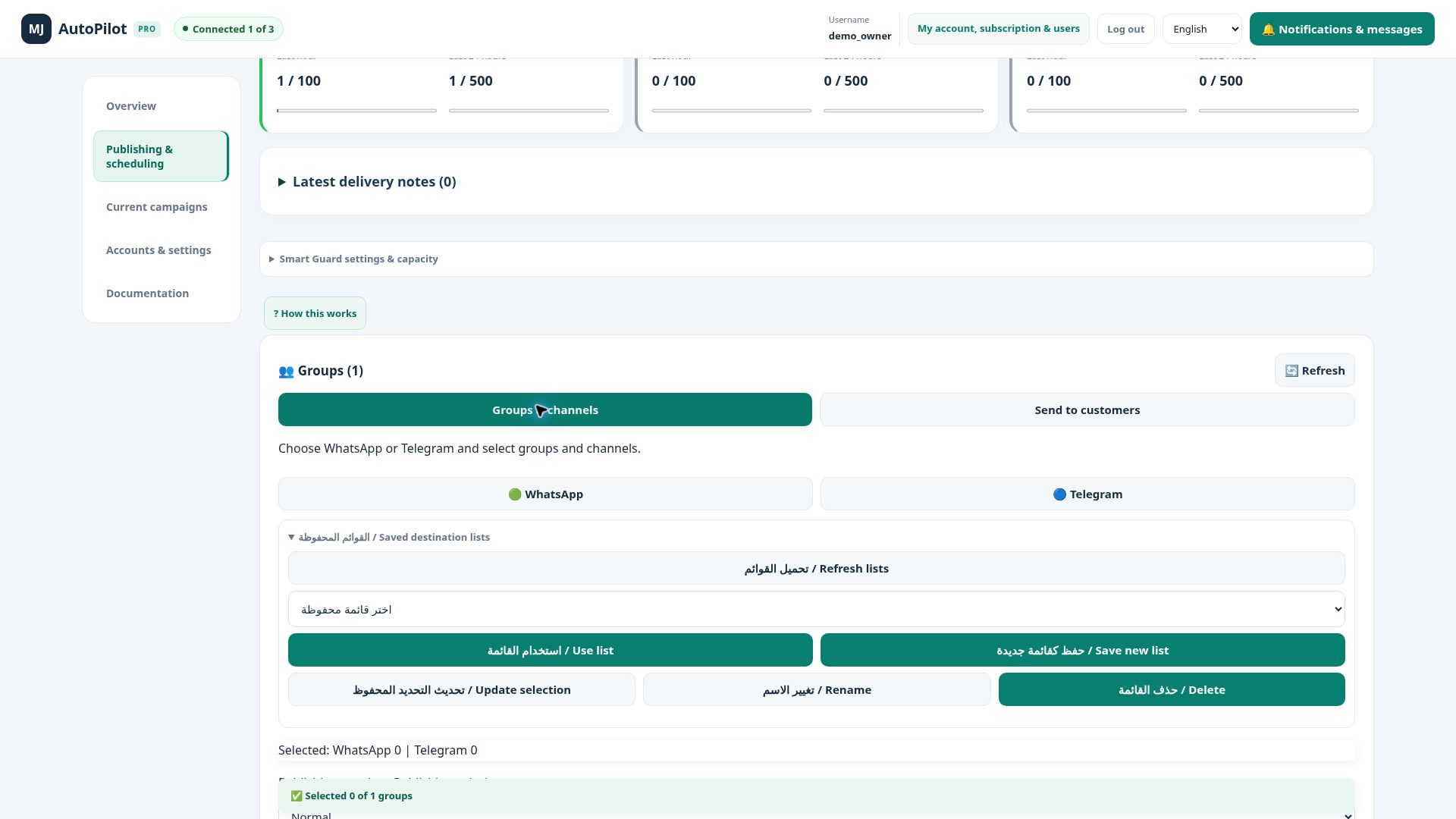
Choose WhatsApp and Telegram destinations, save lists, and prepare a fixed-time post or recurring campaign with clear progress and results.
- Saved lists
- Recurring schedules
- Campaign reports
FOR YOUR CUSTOMERS
Customer messaging.
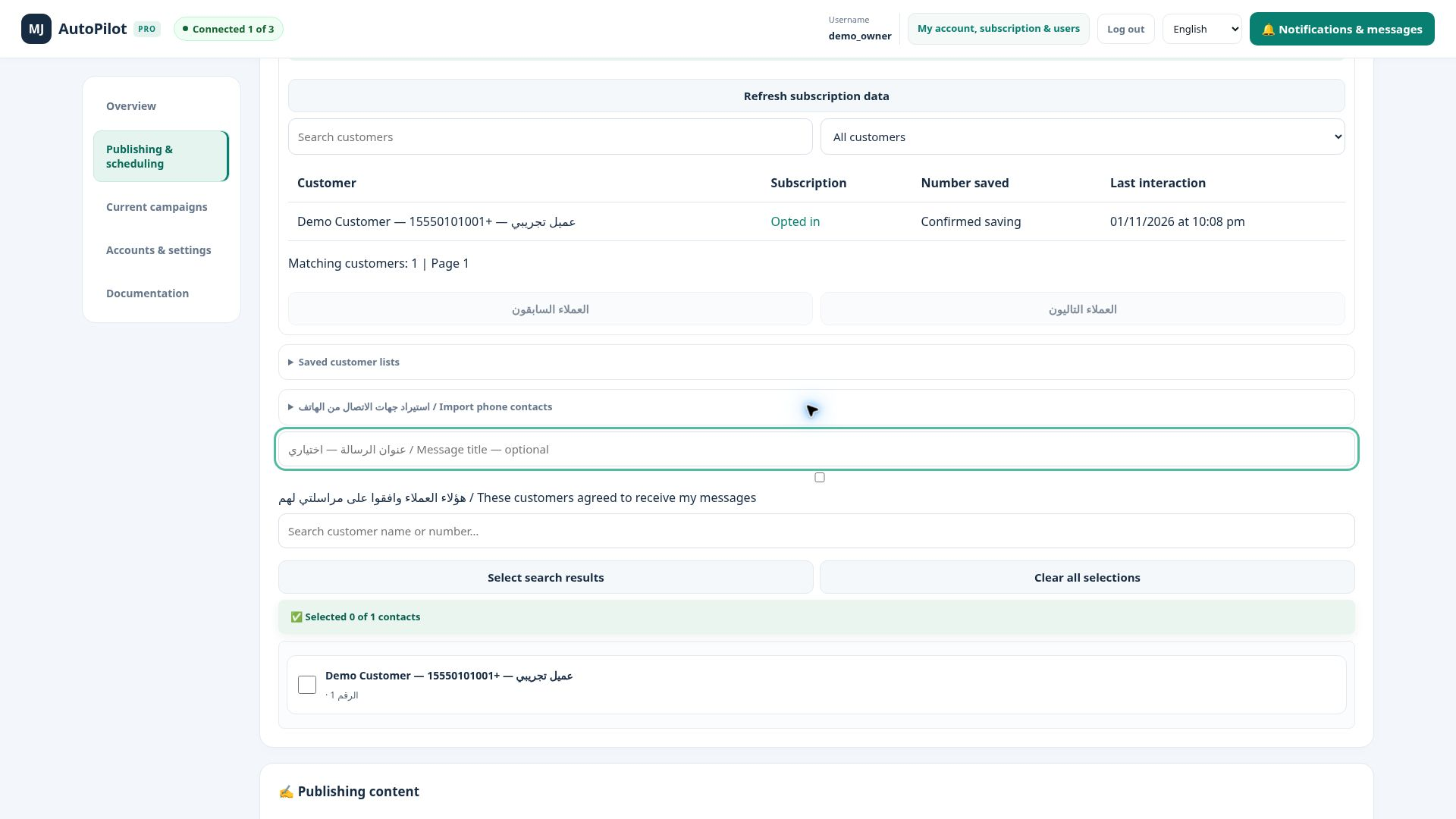
Organize contacts and lists per sender, import VCF files, and message customers who have agreed to hear from you. With separate history and keyword opt-in and opt-out.
- Lists per sender
- Keyword opt-in
- Separate archive
A clear publishing schedule
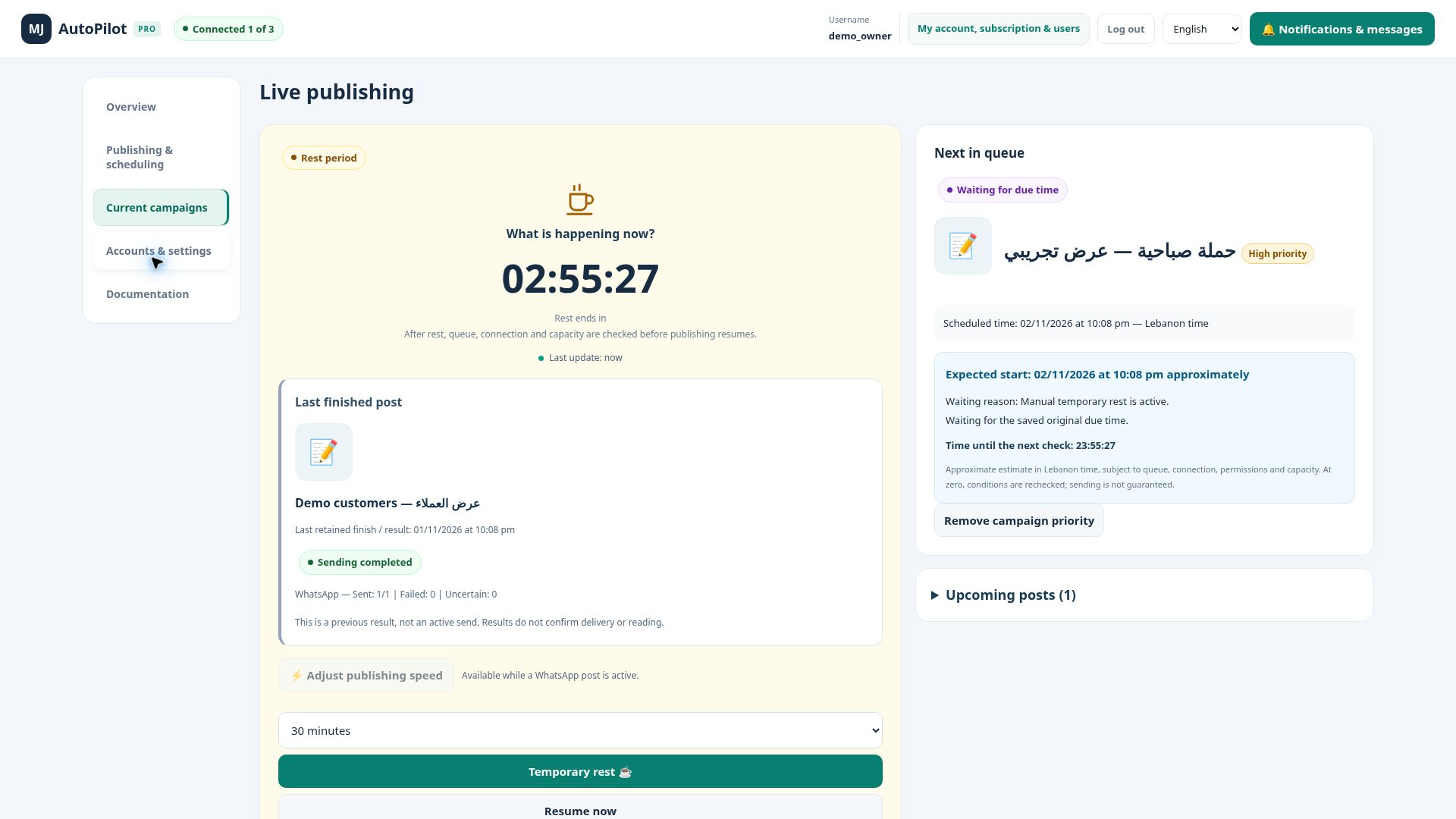
Publish now, set a fixed time, or prepare recurring campaigns in Lebanon time.
Priority where it matters
Order eligible due posts by campaign priority, without moving their original due dates.
Results you can revisit
Reports, logs and archives to follow what was sent and what needs review.
A workspace of your own
Independent business accounts and team roles within your subscription permissions.
A SIMPLE START
Set it up.
Keep it in view.
Connect your sender
Connect WhatsApp and add a Telegram bot when needed.
Prepare your content
Choose the audience, write the message, and add an image or video.
Schedule and follow up
Review timing, then follow publishing and reports in the same workspace.
INSIDE THE WORKSPACE
See the whole picture.
Clear views for groups, customers and campaigns, with Arabic and English documentation.
Select destinations and save group and channel lists.

Contacts and customer lists stay linked to their sender.

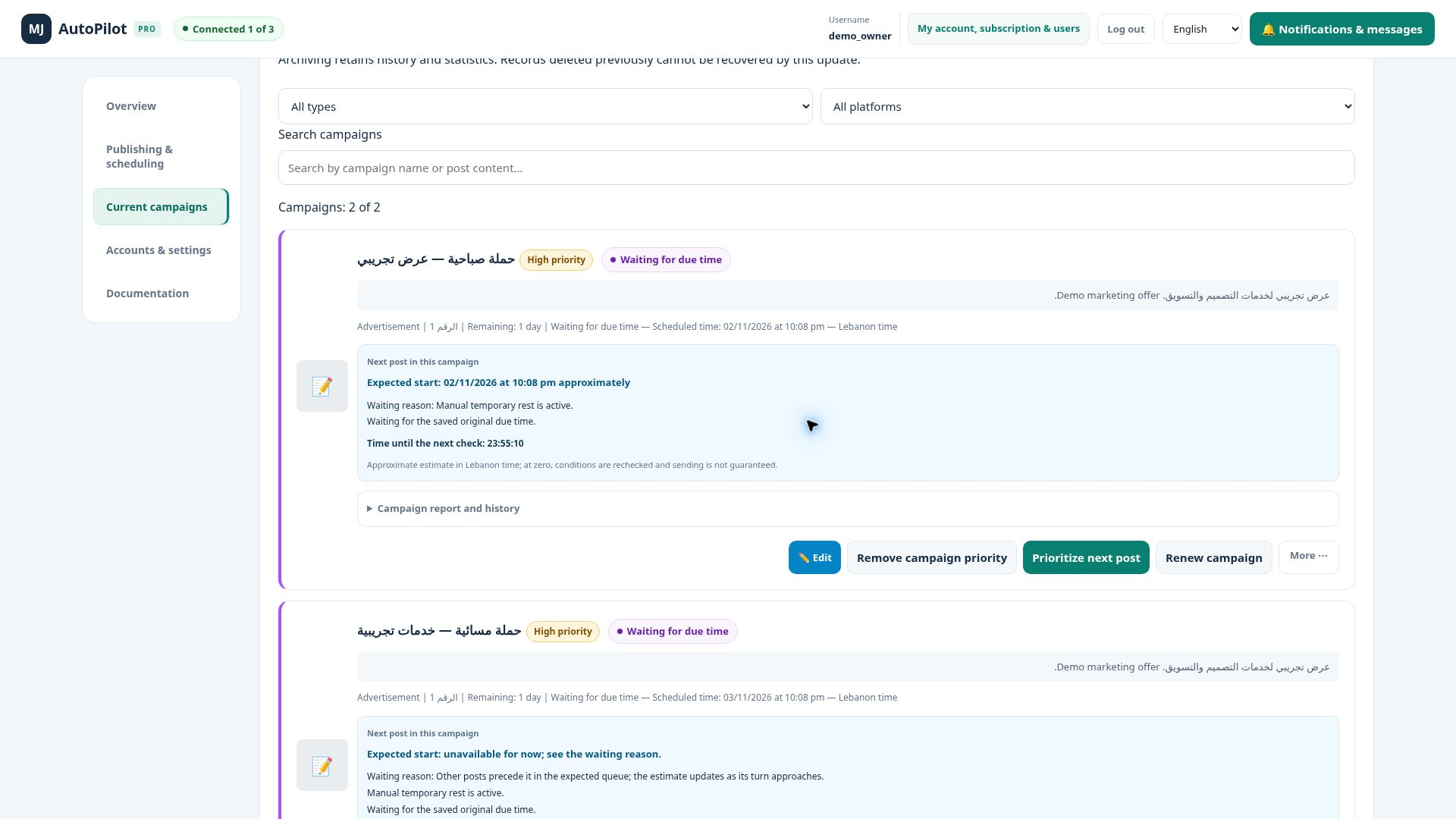
Review state, priority, reports and renewal from campaign cards.

Opt in and out through new private messages. Saving confirmation is a customer statement.

Screenshots show demo workspaces. Available controls and features depend on role and subscription terms.
ROOM FOR YOUR WORK
Clear plans. A thoughtful start.
One sender for your business, or more room to manage multiple numbers.
Pro
For a focused start
$50/ month
1WhatsApp sender
- Groups, channels and customer messaging
- Content scheduling and campaign management
- Saved lists and sending history
- Arabic / English interface and documentation
Pro+
For a wider operation
$100/ month
3WhatsApp senders
- Groups, channels and customer messaging
- Content scheduling and campaign management
- Saved lists and sending history
- Arabic / English interface and documentation
Prices are monthly in USD. Accounts are activated by administration; your agreed subscription terms define the final included features.
MJ
BUILT WITH PURPOSE.
DEVELOPED INDEPENDENTLY.
BEHIND THE PLATFORM
Built from real work.
Made to make it simpler.
Developed by Mohamad Jamous, MJ AutoPilot Pro brings publishing, campaign management and customer messaging into one clear experience. Shaped by hands-on work with websites, content and digital campaigns, with attention to the details of everyday use.
Mohamad JamousDeveloper & platform owner
GOOD TO KNOW
The right questions.
A few details to help you decide how to use the platform.
What is the difference between the website and the app?
This website introduces the product and plans. Log in takes you to app.mjautopilotpro.com, where you manage your account and publishing.
Can I send to groups and individual customers?
Yes. Groups and channels have their own workflow, while customers have separate lists and history. Customer messaging requires their consent.
How do I add customer contacts?
Use the sender’s available contacts, request a sync or import a VCF. Sync may not retrieve the full phonebook. Keyword opt-in can register a customer inside the system.
Can the app detect who saved my number?
No. A saving confirmation is based on the customer’s own confirmation message, not a WhatsApp technical check.
Is the WhatsApp connection official or restriction-proof?
The current connection uses a linked WhatsApp session, not the official WhatsApp Business Platform API. It cannot guarantee freedom from WhatsApp restrictions. Use it for permitted communication with consenting recipients.
Can I use it on my phone?
The interface adapts to phone and desktop screens in Arabic and English. Some browser controls can look different across devices.
Does choosing a plan activate an account immediately?
No. Contact administration to agree on a plan and activate your account. This website does not collect online payments or automatically create accounts.
YOUR NEXT MOVE
Make publishing clearer.
Make time yours.
Choose the plan that fits your work and contact administration to activate your account.